
Instructions to apply online for CVFS restricted-use data via the Virtual Data Enclave (VDE) Method
This method allows a user to access CVFS restricted-use data files via a remote desktop connection to a virtual machine operating on ICPSR’s server. Data files cannot be downloaded to the user’s own computer. The user analyzes the files using the software available on the virtual machine. Select this method if you need access to software tools to analyze the data. (Available software includes SPSS, SAS, Stata, StatTransfer, SUDAAN (SAS-callable), R, HLM, and MPlus.) Or, select this method if you do not have a stand-alone desktop computer that meets the requirements for access via Method 1 – Secure Dissemination. To begin the online application process, create a new MyData account on the ICPSR website or log into your existing MyData account here. Then follow these steps:
-
- Select “Access Restricted Data” from the study’s page on the ICPSR website
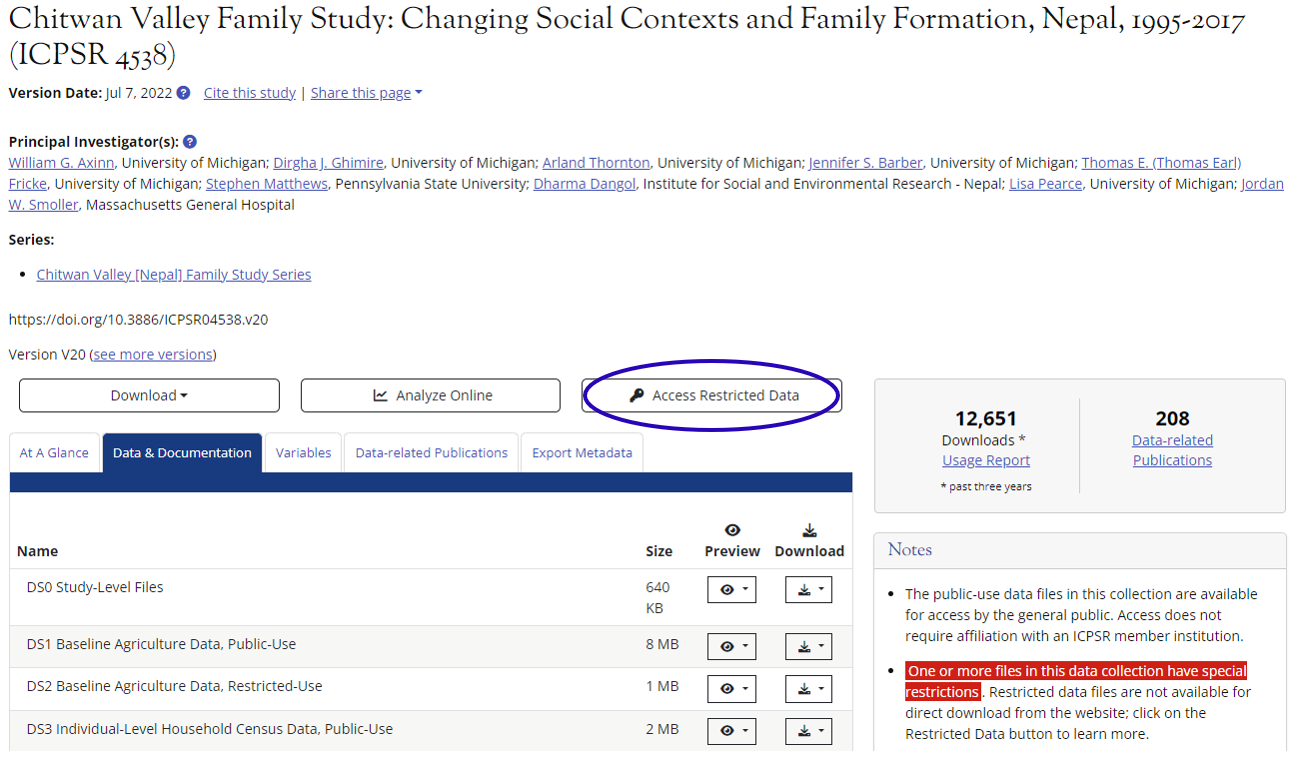
- Select “Virtual Data Enclave”
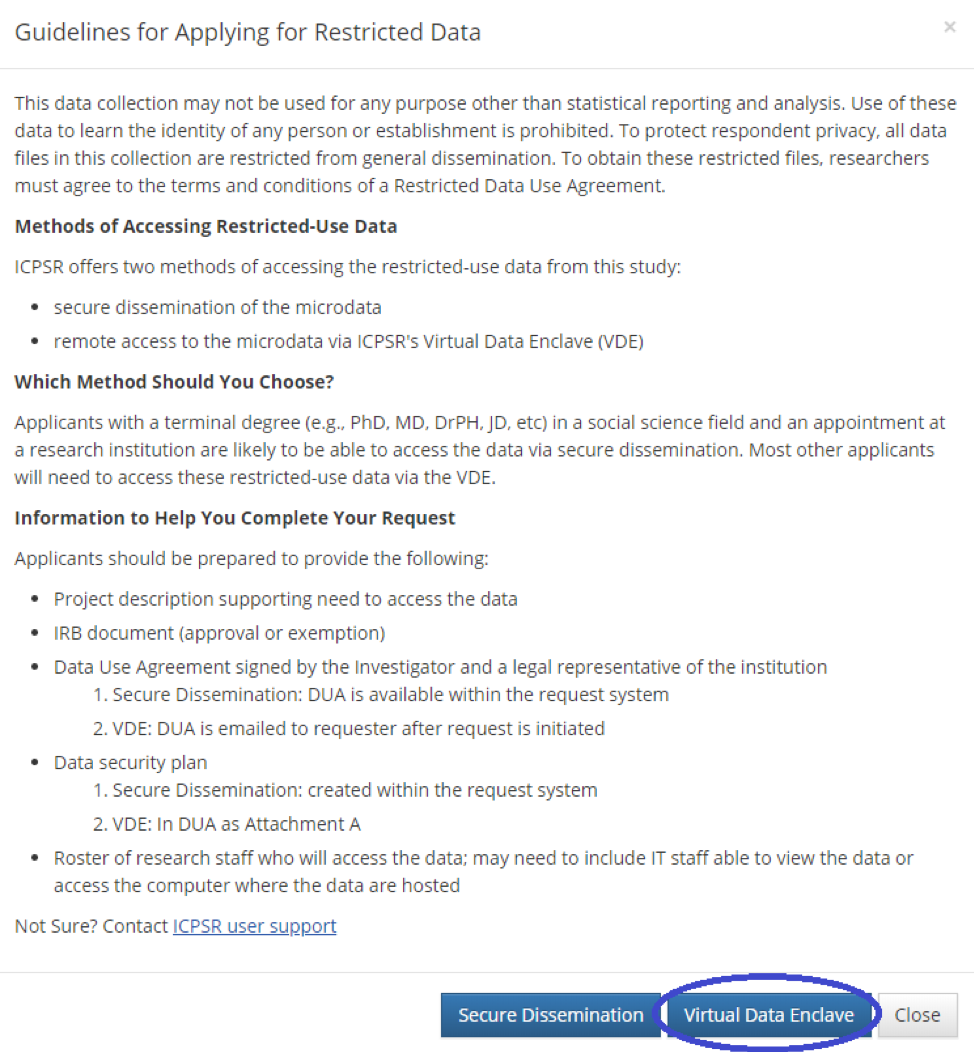
- Select “Start a new project”
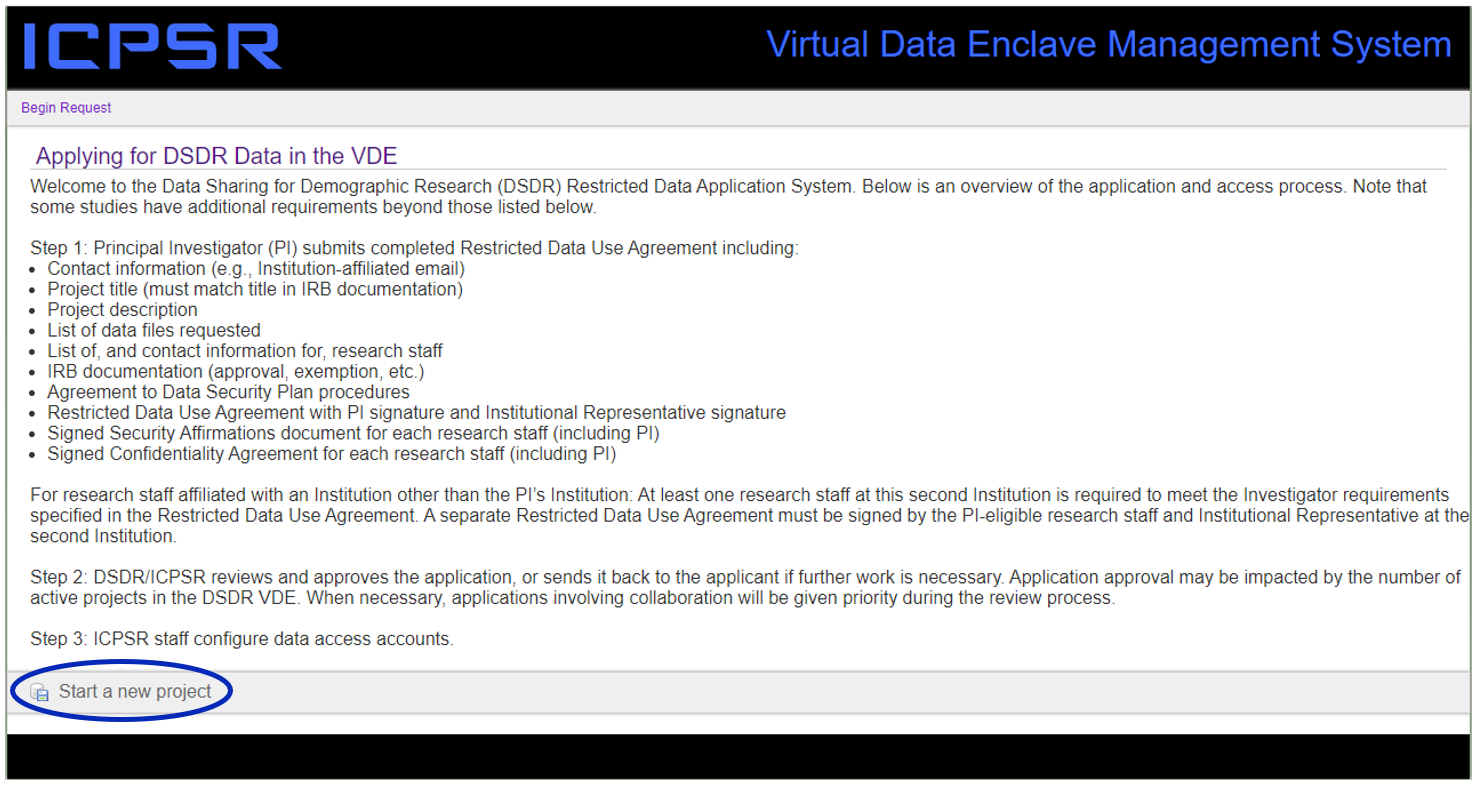
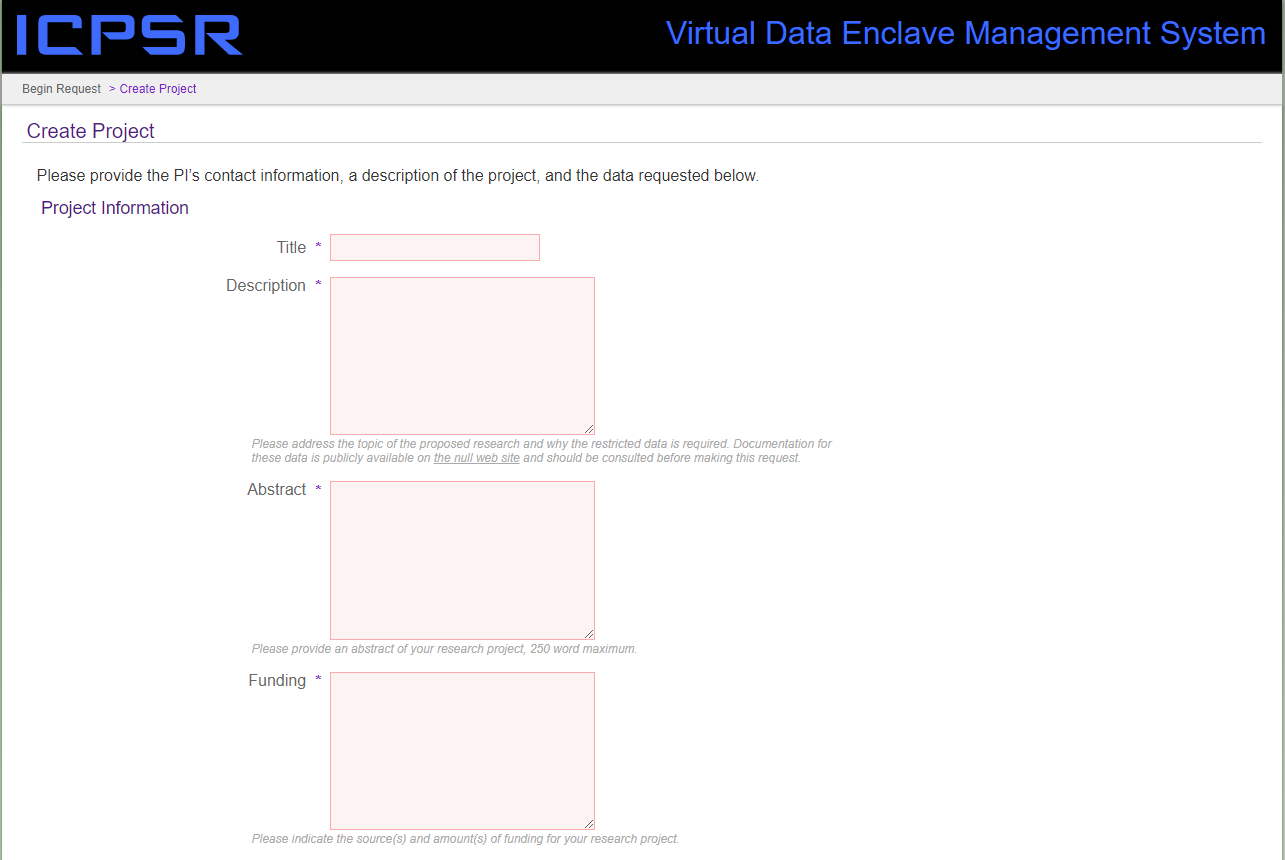
- Provide information about you and your research
- Describe your research and funding.
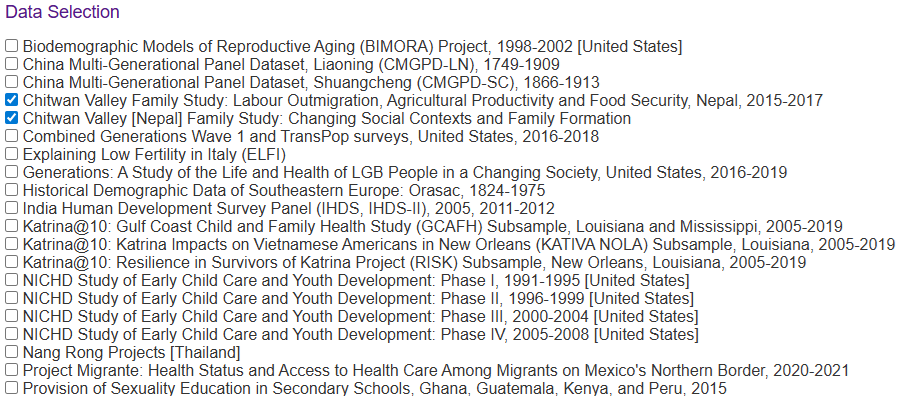
- Enter your name, email address, etc., and select additional studies that might be of interest to you to obtain their data files, then select “Submit Project”. (Note: You must select both Chitwan Valley Family Study data rows to access both ICPSR 4538 and ICPSR 36755.)

- Describe your research and funding.
- Check your email
You should receive an email from ICPSR, with links to download the following documents:- DSDR VDE Data Use Agreement (one per institution where the data will be used)
The last page must be signed by you and the appropriate person in your institution who is authorized to enter into legal agreements with other institutions. - Data Security Affirmations (one per location where the VDE will be used)
Affirm the statements about your computer and sign the last page. - Confidentiality Pledges (one per research staff)
Read and sign the pledge.
- DSDR VDE Data Use Agreement (one per institution where the data will be used)
- Select “Access Restricted Data” from the study’s page on the ICPSR website
If you don’t receive the email, contact [email protected].
- Scan the three signed documents described above, and email them along with your IRB approval document to [email protected]. The subject line of your email should read “Application for Project [#####]”.
 Chitwan Valley Family Study - Program in Society, Population, and Environment - Institute for Social Research
© 2026 Regents of the University of Michigan